How to Actually Play Discworld Noir on Windows 10
Date: 12/01/2020
Public Service Announcement
You can play Discworld Noir on Windows 10 without having to run any hacks or bodges.
I posted a lengthy instruction guide on how to run the game in a virtual box and I felt pretty good about myself for having solved the problem of playing my favourite game.
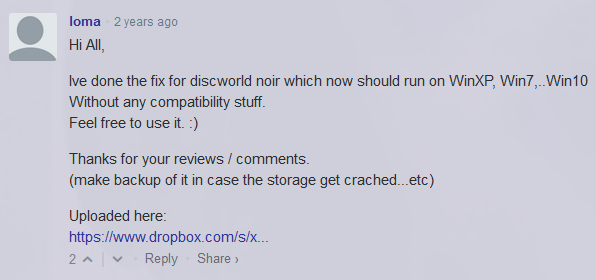
Then some smart bugger released a working executable for DWN in my comments section.
It actually took me a year to getting around to trying it, mostly because I don't trust random .exe files posted by strangers online and partially out of pride for my amazing* virtual box hack. Then one day I thought "sod it", installed DWN on my computer, replaced the executable and well blow me down this actually bloody works!
*In hindsight it's a right bloody faff.
If you want to play Discworld Noir, don't install a virtual box. Just download the executable from below (under "Game Extras", it's the fix by Ioma) and replace the one in your installed copy.
Note: I do not take responsibility for the executable and you download it at your own risk. I do not take responsibility for any damage done to your hardware or software as a result of downloading things from the link below!
Download the fix from MyAbandonWare
I'm just really happy we can all play it again, natively, with no hacks and work arounds. Major kudos to Ioma (that beautiful bastard) for fixing my all-time favourite game.
Now get out there and spread the word!
EDIT 25/10/26: there's potentially a tweak to running the game in Windows 11 ARM architecture; this solution comes from someone who contacted me on GitHub with the username "HotteX" for a slightly specific combination as they are running it within a VM running on MacOS X, but presumably it would work on standard Win11 ARM architecture. To quote them:
"First, make sure you have at least Windows 11 ARM build 26220.7051 (because that adds the compatibily settings).
Then RMB on the tin3_dxd.exe -> Properties -> Compatibility -> Change emulation settings.
Now change the drop down menu "Default" to "Strict execution" and hit apply.
Now this little rough gem runs nicely on an ARM Machine."